 5 min read
TikTok
Save TikTok recipes without watching the video again
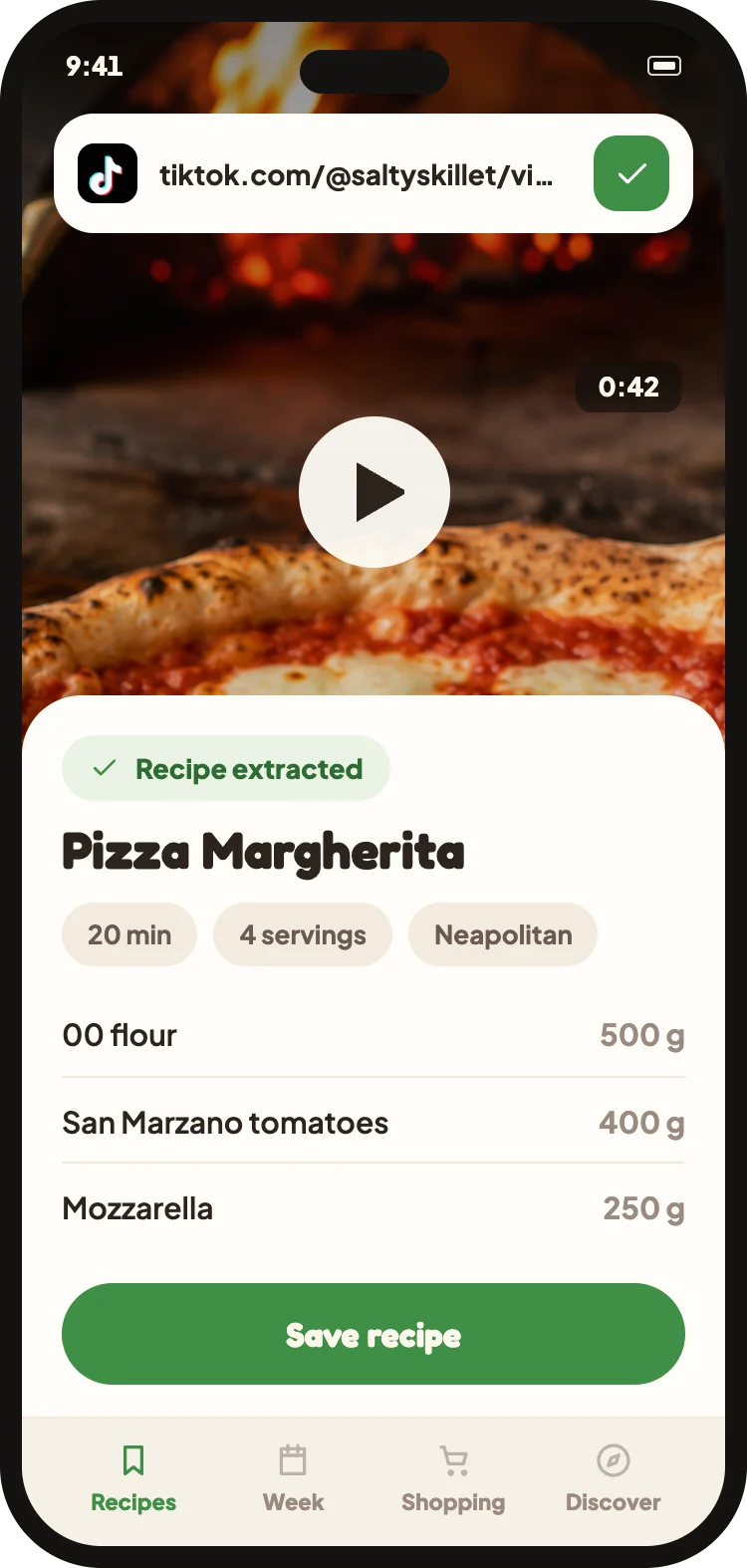
On TikTok quantities flash by in an instant. Share the video with Cucinario and you’ll find them written down, in order, when you’re cooking.
No ads. Your recipes stay yours.
How it works
- 1Tap Share on the video.
- 2Select Cucinario, or copy the link and paste it into the app.
- 3The recipe appears in your library, ready to read.
What Cucinario reads
- The video's audio, often the only place where the quantities are spoken
- The on-screen text, which on TikTok often serves as the recipe
- The post description
What it cannot do
- Private accounts are not accessible.
- Very short videos sometimes don't include quantities: in that case we say so instead of inventing them.
- If the video is removed after import, your recipe remains.
Does it work with videos that have no spoken audio?
Yes, if the information is in the on-screen text or the description. If it's nowhere, we'll let you know.
Can I import while I'm scrolling?
Yes. The import continues in the background and we'll notify you when it's ready: you don't have to stay in the app waiting.